I want to understand how a WebSocket works under the hood. The best way to achieve that is by building one myself, following RFC 6455. This series will focus on two main components: the server and the client. First, I’ll build the general structure using high-level frameworks. Then, I’ll implement the server from scratch — receiving requests, parsing them, performing the handshake, and managing communication. I’ll repeat this process in different languages and technologies to deepen my understanding.
The project is very simple: a chat that can keep messages for one
minute before removing them, similar to a ephemeral
chat. Many clients can connect to the server and send messages to
each other. The flow is as follows:
For this general implementation, I used two high-level
frameworks: for the client, Vue with
JavaScript, and for the server, FastAPI
with Python. The current client implementation will be
reused later when I build the server from scratch. Likewise, this
server will serve as a base when I implement a low-level client.
The code for all implementations is available on GitHub. The code described in each post will include only the architectural part; the styles, HTML, and decorative elements will be omitted.
For the server I need to install fastapi[standard]
according to FastAPI
documentation for using the server in development mode.
pip install fastapi[standard]For Vue, I think using Vite is the
straightforward way for initialize it.
pnpm create vite@latestThe general structure is built using FastAPI. It is
composed of the Message class, which stores the text
and the timestamp for tracking it. CORS configuration
is required because FastAPI blocks CORS by
default. The lifespan handles the entire lifecycle of
the server. The clients are saved in the clients list,
which stores each WebSocket instance.
remove_old_messages is a background task that removes
messages that exceed the MESSAGE_DISAPPEAR_THRESHOLD.
The server is listens on port 8000.
import asyncio
import logging
import time
from contextlib import asynccontextmanager

from fastapi import FastAPI, WebSocket, WebSocketDisconnect, WebSocketException
from fastapi.middleware.cors import CORSMiddleware

LOGGER_FORMAT = "%(asctime)s - %(levelname)s - %(name)s - %(message)s"

logging.basicConfig(format=LOGGER_FORMAT)

logger = logging.getLogger(__name__)
logger.name
logger.setLevel(logging.INFO)

@asynccontextmanager
async def lifespan(_: FastAPI):
    # Startup: Create the background task for message cleanup
    cleanup_task = asyncio.create_task(remove_old_messages())
    yield
    # Shutdown: Cancel the background task
    cleanup_task.cancel()
    try:
        await cleanup_task
    except asyncio.CancelledError:
        pass

app = FastAPI(lifespan=lifespan)
clients: list[WebSocket] = []


class Message:
    """Message structure"""
    message: str
    timestamp: float

    def __init__(self, message: str, timestamp: float):
        self.message = message
        self.timestamp = timestamp


messages: list[Message] = []

app.add_middleware(
    CORSMiddleware,
    allow_origins=["*"],
    allow_credentials=True,
    allow_methods=["*"],
    allow_headers=["*"],
)

MESSAGE_DISAPPEAR_THRESHOLD = 60  # Seconds


async def remove_old_messages():
    """Remove old messages in background"""
    while True:
        now = time.time()
        global messages
        bef_messages = len(messages)
        messages = [msg for msg in messages if now - msg.timestamp < MESSAGE_DISAPPEAR_THRESHOLD]
        aft_messages = len(messages)
        logger.info("Removed %i messages", bef_messages - aft_messages)
        logger.info("Total messages: %i", aft_messages)
        await asyncio.sleep(5)


@app.get("/messages")
async def get_messages():
    """Return all messages"""
    return {"messages": [{"message": msg.message, "timestamp": msg.timestamp} for msg in messages]}


@app.websocket("/ws")
async def websocket_endpoint(websocket: WebSocket):
    """Handle the WebSocket endpoint and contract"""
    await websocket.accept()
    logger.info("Connected to websocket %s", websocket)
    clients.append(websocket)

    try:
        while True:
            data = await websocket.receive_text()
            logger.info("Received message: %s", data)
            messages.append(Message(data, time.time()))

            for client in clients:
                await client.send_text(data)
    except WebSocketException:
        msg = "Error sendi message"
        logger.exception(msg)
    except WebSocketDisconnect:
clients.remove(websocket)In Vue, I built a Chat component that
handles the handshake with the server and manages the messages. It
has two main sections: the WebSocket handler which
connect to server in port 8080, and the messages’
container, which requests the existing messages from the server. The
client is responsible for rendering the messages and
sending/receiving messages from the server.
<template>
    <div class="chat-container">
        <div class="messages">
            <div v-for="(msg, index) in messages" :key="index" class="message">
                {{ msg }}
            </div>
        </div>
        <input v-model="newMessage" @keyup.enter="sendMessage" placeholder="Type a message..." autofocus />
    </div>
</template>

<script>
export default {
    data() {
        return {
            ws: null,
            messages: [],
            newMessage: ""
        };
    },
    methods: {
        sendMessage() {
            if (this.newMessage.trim()) {
                this.ws.send(this.newMessage);
                this.newMessage = "";
            }
        },
        async initializeMessages () {
            try {
                const response = await fetch("http://127.0.0.1:8000/messages", {
                    method: "GET",
                    headers: {
                        'Accept': 'application/json'
                    }
                });

                if (!response.ok) {
                    throw new Error(response.error);
                }

                const data = await response.json();

                // Remove messages after timeout returned from server
                data.messages.forEach(msg => {
                    const timestamp = msg.timestamp;
                    // 1000 = Tranform to milliseconds and 60000 = 60 seconds
                    const timeout = 60000 - (Number.parseFloat(Date.now()) - timestamp * 1000);
                    console.log(timeout);

                    if (timeout > 0) {
                        this.messages.push(msg.message);

                        setTimeout(() => {
                            const index = this.messages.indexOf(msg.message);
                            if (index > -1) {
                                this.messages.splice(index, 1);
                            }
                        }, timeout);
                    }
                });

            } catch (error) {
                console.error(error);
            }

        }
    },
    mounted() {
        this.ws = new WebSocket("ws://localhost:8000/ws");
        this.ws.onerror = (error) => {
            console.error("WebSocket error:", error);
        };

        this.ws.onmessage = (event) => {
            this.messages.push(event.data);
            setTimeout(() => {
                this.messages.shift();
            }, 60000);  // 60 seconds
        }

        this.initializeMessages();
    },
    beforeUnmount() {
        this.ws.close();
    }
};
</script>Using the chat is very simple: just connect multiple browser tabs to the Vue client, and they’ll be synced automatically. First, I start the server, then the client.
fastapi dev

# Out:
#
# INFO   Uvicorn running on http://127.0.0.1:8000 (Press CTRL+C to quit)
FastAPI will listen on port 8000. To
run the client (I am using pnpm
instead of npm):
pnpm run dev

# Out:
#
# VITE v6.2.4  ready in 937 ms
#
# ➜  Local:   http://localhost:5173/
# ➜  Network: use --host to expose
# ➜  Vue DevTools: Open http://localhost:5173/__devtools__/ as a separate window
# ➜  Vue DevTools: Press Alt(⌥)+Shift(⇧)+D in App to toggle the Vue DevTools
# ➜  press h + enter to show help
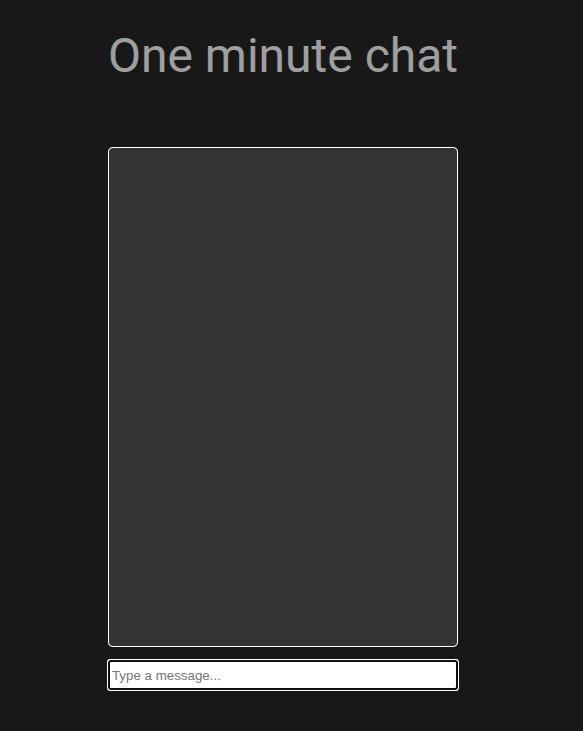
Visiting localhost:5173, the chat initialized:
If I open two windows and type something into the chat, both will receive the messages.
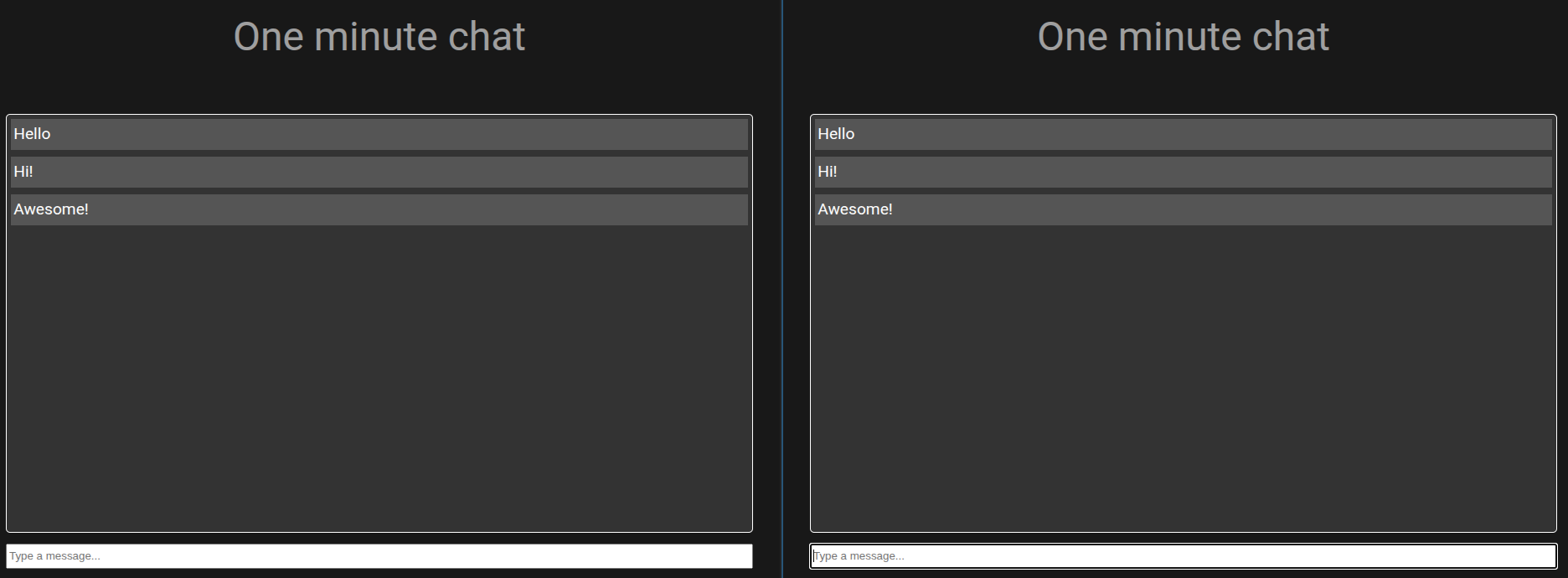
Nice! Now I can play around in both chats — messages disappear
automatically, and FastAPI logs show the message flow
when they’re received.
2025-08-07 15:49:37,990 - INFO - main - Received message: Hello
2025-08-07 15:49:41,361 - INFO - main - Received message: Hi!
2025-08-07 15:49:41,544 - INFO - main - Removed 0 messages
2025-08-07 15:49:41,545 - INFO - main - Total messages: 2
2025-08-07 15:49:46,546 - INFO - main - Removed 0 messages
2025-08-07 15:49:46,546 - INFO - main - Total messages: 2
2025-08-07 15:49:47,424 - INFO - main - Received message: Awesome!
Then when the messages are removed:
2025-08-07 15:50:41,553 - INFO - main - Removed 2 messages
2025-08-07 15:50:41,553 - INFO - main - Total messages: 1
2025-08-07 15:50:46,554 - INFO - main - Removed 0 messages
2025-08-07 15:50:46,554 - INFO - main - Total messages: 1
2025-08-07 15:50:51,554 - INFO - main - Removed 1 messages
2025-08-07 15:50:51,554 - INFO - main - Total messages: 0I implemented a high-level version of a WebSocket
using FastAPI and Vue. In the next post, I
will implement it using Go and the existing client
built in Vue for testing. The goal is to implement a
low-level basic WebSocket handler to truly understand how WebSockets
work under RFC 6455.